
MTG Card Maker
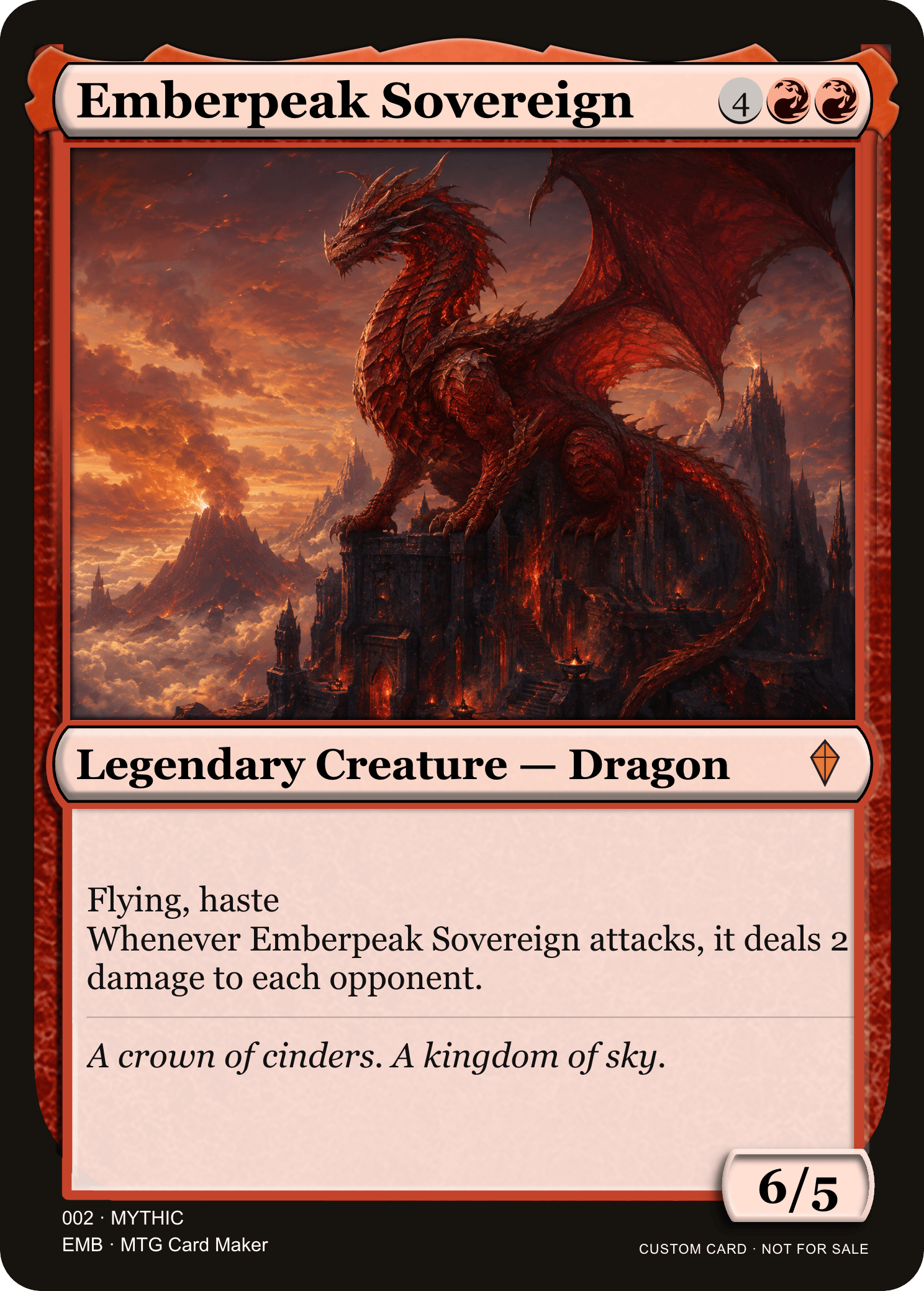
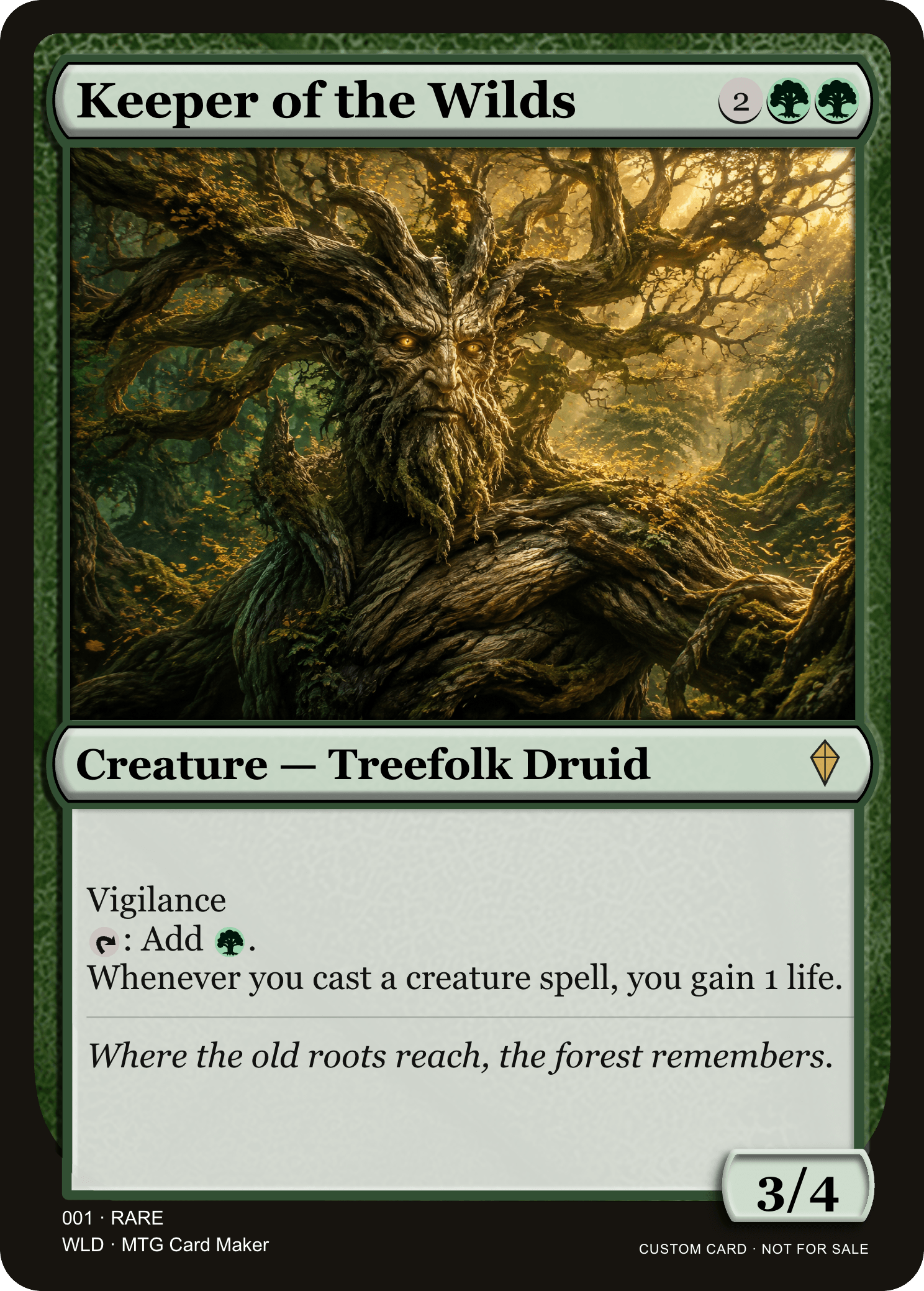
MTG Card Maker turns your ideas into custom Magic cards. Edit every detail, add your artwork, and download a high-resolution card — all in your browser.
Free to use · No sign-up · Your draft stays with you
Card editor
Local editing · No account needed
A little inspiration · Start with an example
How It Works
From the first idea to a card of your own, MTG Card Maker keeps the process simple.
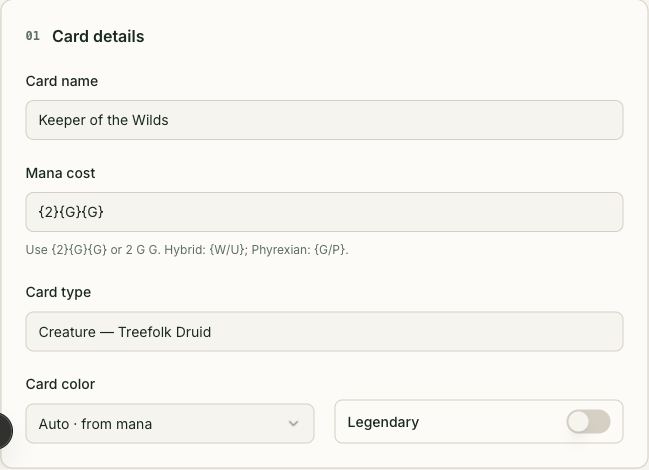
01 · Make it yours
Start with the example. Set the name, mana cost, card type, and abilities.
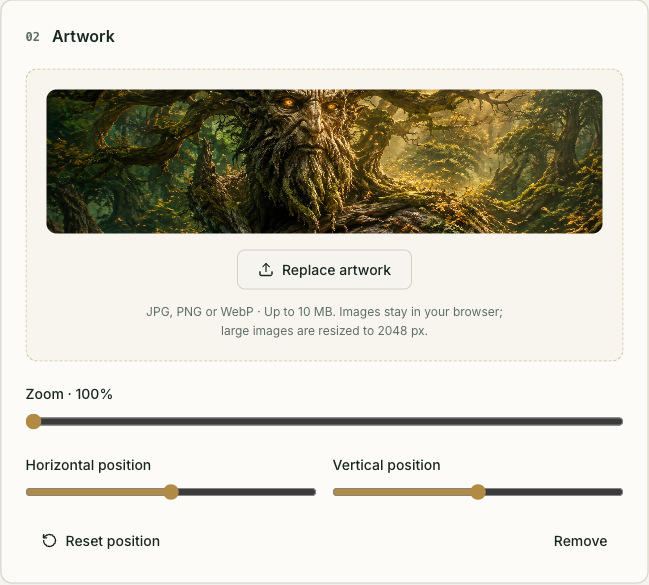
02 · Set the scene
Upload your artwork, then drag and zoom to find the perfect composition.
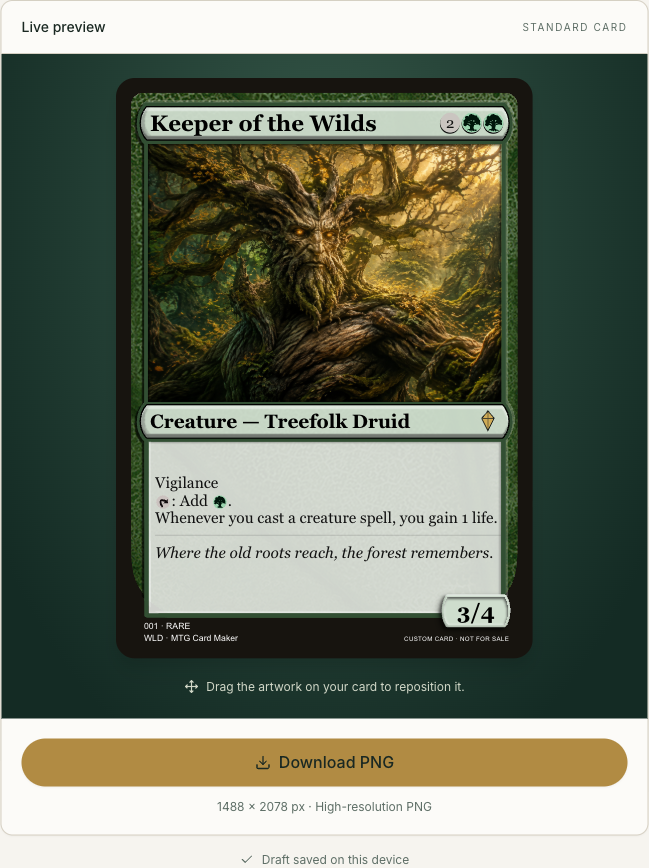
03 · Take it with you
Check your live preview and download a crisp 1488 × 2078 PNG.
Everything your next MTG card needs
A living preview
See every change as you type in MTG Card Maker, with standard frames and legendary accents.
Mana made simple
Use hybrid and Phyrexian costs, plus inline mana and tap symbols in your rules.
Your choice of color
Match your mana automatically, or choose any of the eight frame colors.
Local artwork controls
Bring a JPG, PNG, or WebP. Your illustration is processed on your device.
High-resolution PNG
Export the same custom MTG card you see, with your composition and details intact.
Pick up where you left off
Your draft saves automatically in this browser, ready when you return.
Frequently asked questions
Is this an official Magic tool?
No. MTG Card Maker is a fan-made tool, not affiliated with Wizards of the Coast. Magic: The Gathering and related marks belong to their respective owners.
Do I need an account or subscription?
No. The MTG Card Maker V1 editor and PNG download are free to use directly in your browser.
Is my artwork uploaded to a server?
No. Artwork is processed locally and saved with your draft. Large images are resized to a maximum of 2048 pixels.
Which images can I use?
Upload JPG, JPEG, PNG, or WebP images up to 10 MB to MTG Card Maker. Transparent areas are placed on a white background.
Will my card survive a refresh?
Your draft is saved in this browser 500 milliseconds after an edit. Clearing browser data, private browsing, or storage limits can remove or prevent saved drafts.
What can I export?
V1 exports one standard card as a 1488 × 2078 PNG. It does not include AI, PDF export, or special frame editors.
Ready to make your card?
Bring your next spell, creature, or legendary idea to life with MTG Card Maker. It is free, needs no account, and stays in your browser.